
Upgrading Your Humanoid Robot: Parts, Software & Improvements
How to keep your robot up to date — firmware updates, hardware upgrades, and accessories that improve performance.
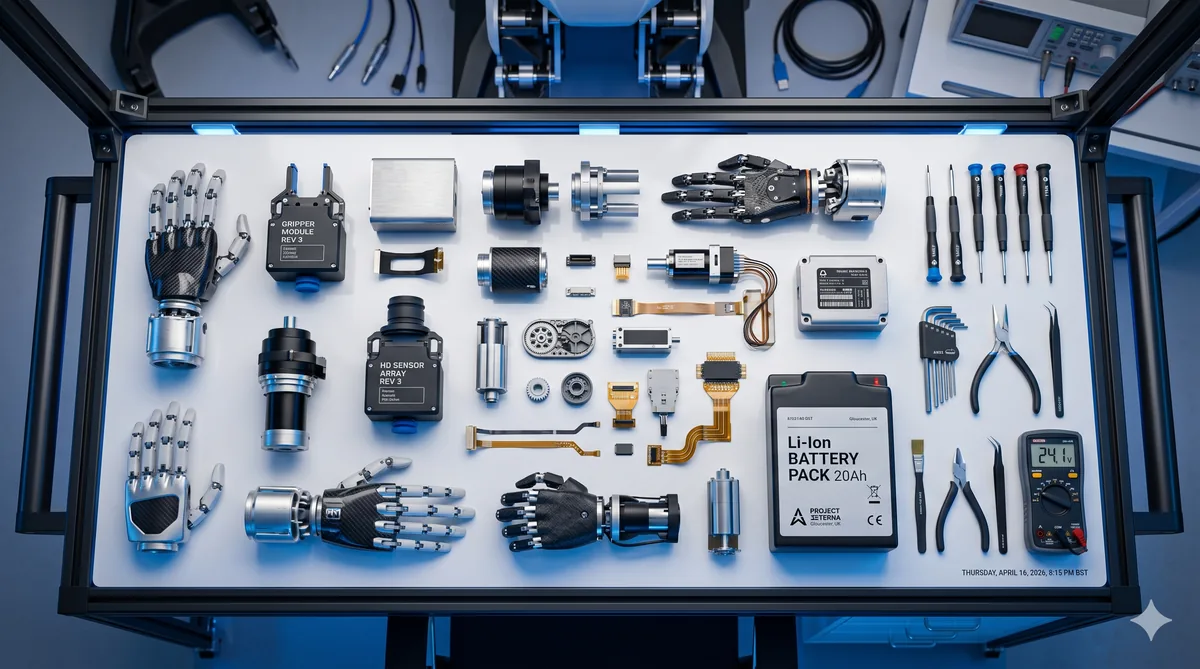
Short answer: for most owners the best upgrade is software: install the manufacturer’s firmware and app updates through official channels. Hardware upgrades depend on the model. On Unitree’s humanoids, dexterous hands and developer (SDK) access come with the EDU versions, and the G1 and R1 use quick-release smart batteries, so a spare battery is one way to get more run time. Before fitting any third-party part, check the warranty terms, because unauthorised modifications may void your cover.
Whether you’ve just unboxed your first humanoid robot or you’ve been living with one for months, there comes a point where you start wondering: can I make it better? Upgrade options range from software updates to official accessories and, on some models, hardware options. In this guide, we walk you through every avenue for improving your robot’s capabilities, extending its lifespan, and getting more value from your investment.
Software updates: the easiest upgrade you can make
Before spending a penny on physical parts, start with software. Many robots receive firmware updates that can fix bugs and sometimes add features.
How firmware updates work. Depending on the model, the robot downloads updates over Wi-Fi or you install them with the manufacturer’s app or software. Check the manual for how your model is updated, and look for updates regularly, for example once a month.
Companion app updates are equally important. If your robot uses a phone or tablet app, enable auto-updates in your device’s app store so you’re running the latest version.
How to check your current version. Find the firmware version in the app or software (often in a device information section) and compare it with the latest release the manufacturer publishes. If you’re behind, follow the manual’s update steps and keep your robot charged or plugged in during the process: interrupted firmware updates can cause serious problems. For a deeper dive into keeping your robot’s software healthy, see our maintenance guide.
Hardware upgrades: what you can actually swap
Hardware upgradability varies considerably between models, but several categories of upgrade are becoming standard across the market.
Hands and grippers. Some robots ship with simple hands or none at all. On Unitree’s humanoids, dexterous hands are options on the EDU versions: Unitree lists optional Dex3-1 three-finger hands for the G1 EDU (the base G1 has no hands listed) and optional dexterous hands for the R1 EDU. Ask the seller whether hands can be added to a robot you already own.
Upgraded sensors. Better LiDAR modules, higher-resolution cameras, and improved depth sensors can enhance your robot’s spatial awareness and obstacle avoidance. Not every model supports sensor swaps — check your manufacturer’s documentation before purchasing. Our features explained guide covers what each sensor type does and why it matters.
Batteries. Battery life remains one of the biggest limitations of humanoid robots: Unitree quotes about one hour for the R1 and about two hours for the G1. Both use quick-release smart batteries, so a charged spare lets you swap and carry on. Always use manufacturer-approved batteries; third-party cells of unknown provenance can pose safety risks and may void your warranty.
Accessories worth considering
Not every improvement requires cracking open your robot’s chassis. A range of accessories can protect your investment and make daily life with your robot more convenient.
- Protective covers - if the manufacturer offers them, useful around furniture edges or in households with young children.
- Transport cases - if you take your robot between locations (perhaps between home and a workshop or classroom), ask the seller whether a case is available for your model.
- Spare batteries and chargers - on models with removable batteries, a spare can cut downtime.
- Replacement feet and other wear parts - parts that touch the floor wear with use. Ask the seller which spares are available and how long delivery takes.
Third-party modifications and community mods
One of the most exciting developments in home robotics is the growing community of makers and tinkerers who share modifications, 3D-printable parts, and custom software.
Community mods range from simple cosmetic shells (giving your robot a unique appearance) to functional upgrades like improved cable management brackets, tool-holding attachments, and sensor mounts. Forums, Discord servers, and GitHub repositories dedicated to specific robot models are the best places to discover what’s available.
3D-printed parts are popular with makers. If you own a 3D printer, or know someone who does, you may find files for covers, camera mounts and storage trays that people have designed for specific models. If you’re comfortable with basic programming, our beginner’s programming guide can help you write custom behaviours to complement your hardware mods.
A word of caution: third-party modifications are not tested or endorsed by manufacturers. They may affect your robot’s balance, thermal management, or sensor accuracy. Always test modifications in a safe, open space before deploying them in your home.
When to upgrade versus buying new
This is the question we get asked most frequently, and the honest answer depends on your specific model and what you’re hoping to achieve.
Upgrade when the core platform is still capable and your frustrations are specific — shorter battery life, worn grippers, or missing a software feature that an update might deliver. Upgrades are almost always more cost-effective than replacement, and they reduce electronic waste.
Buy new when your robot’s fundamental hardware architecture cannot support the capabilities you need. If you want advanced autonomous navigation but your model lacks the sensor suite to support it, no amount of tinkering will bridge that gap. Similarly, if your robot is more than three to four years old and the manufacturer has ended software support, a newer model will serve you far better. Our comparison of the best humanoid robots for UK homes can help you evaluate whether a newer model is worth the switch.
Upgrade paths by model
Not all robots are created equal when it comes to upgradability. Here’s a realistic overview of what’s possible with the most popular models in the UK market.
NOETIX Bumi - NOETIX offers graphical programming and an SDK, so most changes you can make are in software. We have not found published hardware upgrade options or a UK retailer, so ask the seller about spare parts before you buy.
Unitree R1 - the upgrade path is mainly choosing the right version: the R1 EDU adds developer access (secondary development) and optional dexterous hands. All versions use a quick-release smart battery.
Unitree G1 - the G1 EDU versions add secondary development (SDK access), optional Dex3-1 hands, extra degrees of freedom (up to 43 in total) and an optional high-performance computing module, according to Unitree. On the base G1, secondary development is not listed.
1X NEO - 1X sells NEO in the US only, so there is no UK upgrade route yet. 1X has not published hardware upgrade options.
Costs of common upgrades
Manufacturers rarely publish UK prices for spare parts and upgrades, and we do not have verified figures to quote. Before you buy a robot, ask the seller for the price and delivery time of the parts you are most likely to need: a spare battery, feet or other wear parts and, on EDU versions, hands. Community 3D-printed parts are often free to download, but you pay for the printing.
Warranty implications of modifications
This is critical: any hardware modification not explicitly authorised by the manufacturer may void your warranty. Before you pick up a screwdriver, read the warranty terms carefully. Our warranty and support guide covers this topic in detail, but the key points are:
- Software updates delivered through official channels should not affect your warranty, but check the terms.
- Manufacturer-sold accessories and replacement parts are safe to install.
- Third-party hardware modifications, including 3D-printed parts that attach to internal mounting points, are likely to void coverage.
- Some manufacturers offer an “enthusiast” or “developer” warranty tier that permits modifications — check whether yours does.
If your robot is still under warranty and you’re itching to modify it, consider waiting until the coverage period expires, or ask the manufacturer in writing whether a specific modification is allowed.
Future-proofing your investment
The humanoid robotics market is evolving rapidly, and no purchase is truly future-proof. However, you can make smarter decisions that extend the useful life of your robot:
- Choose models with active SDK and developer support. Robots with open development platforms tend to receive community-driven improvements long after the manufacturer moves on.
- Prioritise software-upgradable models. A robot that gains new skills through OTA updates will age far more gracefully than one that ships with a fixed feature set.
- Invest in quality accessories early. A protective case purchased on day one prevents the cosmetic and structural damage that accelerates obsolescence.
- Stay engaged with the community. Joining forums and user groups keeps you informed about new modifications, upcoming updates, and common issues before they affect you.
UK suppliers for parts and accessories
Finding robot parts and accessories in the UK can be challenging, as much of the market is still US or China-focused. Here are some reliable options:
- The seller you bought from - for Unitree robots in the UK, that may be a retailer such as Scan; ask it about spare parts and accessories first.
- Manufacturer online stores - Unitree’s official store prices in US dollars, so delivery and import costs apply. 1X currently delivers NEO in the US only.
- UK robotics retailers - specialist shops may stock parts for some brands; check that a part is made for your exact model.
- Amazon UK and eBay - useful for generic accessories like carrying cases and cables, though always verify compatibility and the seller before purchasing.
- 3D printing services - if you don’t own a printer, online printing services or local makerspaces can print community-designed parts for a fee.
- Community marketplaces — some UK robotics forums and Discord servers have buy/sell channels where members trade spare parts and unused accessories.
Making the most of what you have
Upgrading your humanoid robot doesn’t have to mean spending hundreds of pounds or voiding your warranty. Start with the basics: keep your firmware current, maintain your robot’s physical components, and explore the accessories that solve your specific pain points. When you’re ready for more ambitious modifications, the growing community of UK robot enthusiasts is an invaluable resource.
The most important upgrade of all is knowledge. The more you understand about your robot’s capabilities and limitations, the better positioned you are to make informed decisions about where to invest. And if you do decide it’s time for a new model entirely, you’ll be choosing from a position of experience rather than guesswork.