
Family Robot Companion Guide: Humanoid Robots for Kids & Education
Guide to child-safe humanoid robots for education, STEM learning, and family entertainment. Age recommendations and safety considerations.
Robots4Home Team
robots4home.uk
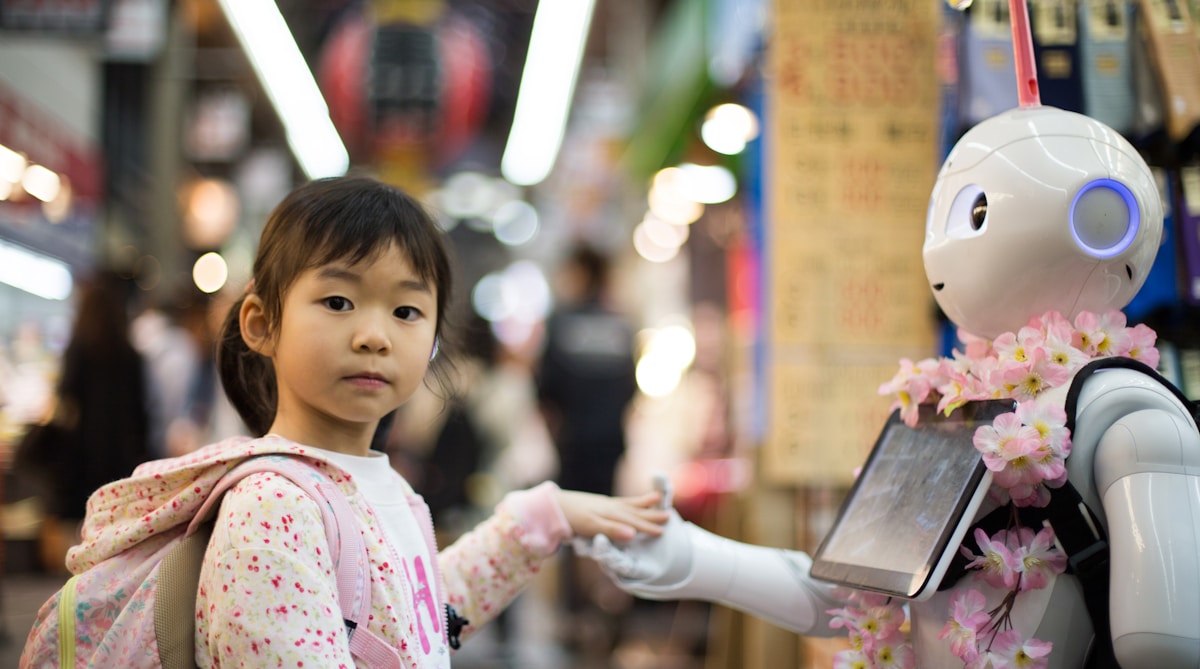
Bringing a humanoid robot into your home is exciting enough on its own. Bringing one into a home with children adds a whole new layer of questions. Which models are actually safe around small hands? Will the robot hold a seven-year-old’s attention or just collect dust? And is there genuine educational value, or is it all novelty?
We have spent months testing the current generation of consumer humanoid robots with families across the UK, and the answers are genuinely encouraging. The right robot, chosen carefully and introduced thoughtfully, can become a brilliant tool for learning, creativity, and shared family experiences. This guide walks you through everything you need to know before making that decision.
Choosing a Family-Friendly Robot
Not every humanoid robot on the market is designed with families in mind. When children are involved, three factors matter above all else.
Safety Features
Look for robots with rounded edges, pinch-free joints, and force-limited actuators that stop movement the moment they meet unexpected resistance. The best family models include automatic shutdown if tipped beyond a certain angle, along with soft outer shells that reduce any risk of bumps during close interaction. We cover the full technical picture in our humanoid robot safety guide, but as a starting point, insist on CE marking and a published safety data sheet from the manufacturer.
Age Appropriateness
A robot that fascinates a teenager may frustrate a five-year-old, and vice versa. Younger children respond best to simple voice commands, expressive faces, and guided activities with clear instructions. Older children and teens want programmability, deeper conversation, and the ability to customise behaviour. The best approach is matching the robot’s interaction complexity to your child’s developmental stage rather than simply buying the most capable model you can afford.
Durability
Children will poke, prod, hug, and occasionally drop things near robots. Family-friendly models need to withstand daily handling without constant repairs. Look for impact-resistant casings, splash-resistant surfaces (especially for kitchen or dining room placement), and readily available replacement parts in the UK. A robot that spends more time being repaired than being used is no companion at all.
Our Top Picks for Families
After extensive testing, we recommend three models that each serve a different family situation and budget. For a broader comparison, see our best humanoid robots for the home roundup.
Bumi by Noetix — Best for Kids (from £1,100)
The Bumi is purpose-built for younger users and families on a sensible budget. Standing at a child-friendly height, it features a soft-touch exterior, rounded edges throughout, and force-limited movements that make it safe for children as young as five to interact with directly.
What makes Bumi shine is its educational content library. It ships with structured STEM activities, storytelling modes, and a visual block-coding interface that lets children as young as six create simple robot behaviours. The voice interaction is natural enough to hold a child’s attention without relying on a screen, and the built-in parental controls are genuinely well thought through.
At £1,100, Bumi represents the most accessible entry point for families who want a proper humanoid companion rather than a glorified tablet on legs. Running costs are minimal, and Noetix provides free software updates for at least three years after purchase.
R1 by Kepler — Best for Older Teens (from £3,900)
The R1 steps up in capability and is best suited to households with teenagers who want to go deeper. It supports full Python programming, has more sophisticated conversational AI, and can handle a wider range of physical tasks around the home.
For teens interested in robotics, engineering, or computer science, the R1 is a genuinely powerful learning platform. It offers sensor access, motion planning APIs, and a simulation environment where teens can test code before running it on the physical robot. The build quality is robust enough for daily teen interaction, though we would recommend supervision for children under twelve given the robot’s greater size and strength.
The £3,900 price point puts it firmly in the mid-range, but for families with a teen seriously interested in STEM, it can replace multiple extracurricular activities and provide hundreds of hours of meaningful engagement.
NEO by 1X Technologies — Best for the Whole Family (from £16,000)
NEO is the full-featured family humanoid. It combines advanced safety systems with capabilities that serve every age group in the household. Younger children benefit from its storytelling and educational modes. Teens can program it using industry-standard tools. Adults appreciate its ability to assist with household tasks, manage schedules, and act as a central hub for family coordination.
The investment is significant at £16,000, but NEO is designed as a long-term household member rather than a gadget. Its modular design means components can be upgraded over time, and the safety certifications are the most comprehensive of any consumer humanoid currently available in the UK. For families who want a single robot that grows with their children over many years, NEO is the standout choice.
Child Safety and Supervision Requirements
No matter which model you choose, supervision expectations should be clear from day one. We recommend the following as minimum guidelines:
- Ages 5-7: Direct adult supervision during all interactions. Keep sessions to 20-30 minutes.
- Ages 8-11: Adult in the same room. Children can initiate basic interactions independently but should not alter settings or programming.
- Ages 12-15: Periodic check-ins. Teens can interact independently and begin programming with parental awareness of what they are creating.
- Ages 16+: Independent use with agreed household rules in place.
All three recommended models include parental control dashboards where you can set interaction time limits, review conversation logs, restrict certain capabilities, and receive alerts if the robot detects unusual behaviour. For a deeper look at safety considerations, our safety guide covers everything from physical safeguards to data protection.
Educational Activities That Actually Work
The educational potential of humanoid robots goes well beyond gimmicks. Here is what we have seen work brilliantly in family settings.
Coding and Computational Thinking
Bumi’s block-coding interface teaches sequencing, loops, and conditionals to children who have never written a line of code. The R1 and NEO both support Python and JavaScript, letting older children progress to real-world programming languages. The physical feedback of seeing your code make a robot move, speak, or react is far more engaging than on-screen exercises alone. Our education-focused guide goes into more detail on curriculum-aligned activities.
STEM Exploration
All three robots can demonstrate physics concepts (balance, momentum, force), explain biological processes through animated gestures, and walk children through mathematical problems step by step. Several UK home-education families we spoke to now use their robots as a regular part of weekly science and maths sessions.
Language Learning
Humanoid robots are surprisingly effective conversation partners for language practice. They never lose patience, can adjust their speed and vocabulary level, and provide gentle correction without the social anxiety children sometimes feel when practising with a human tutor. Bumi supports five languages out of the box, while NEO supports over twenty.
Entertainment and Play
Education is important, but robots need to be fun too. All three models offer dance modes where children can teach the robot choreography or follow along with pre-set routines. Interactive storytelling lets children influence narratives through voice choices, creating a collaborative experience that feels nothing like passive screen time. Game modes range from simple quizzes and scavenger hunts for younger children to strategy challenges and trivia competitions that genuinely test older family members.
Involving Children in Robot Care
One of the unexpected benefits families report is the responsibility that comes with caring for a robot. Younger children can learn to place the robot on its charging dock, wipe down its surfaces, and check its status indicators. Older children can manage software updates, troubleshoot minor issues, and even perform simple hardware maintenance under guidance.
This sense of ownership transforms the robot from a passive entertainment device into something closer to a shared family responsibility, much like caring for a pet but without the vet bills. It also teaches children practical skills around technology maintenance that will serve them well as they grow up.
Budget Considerations
Family budgets are real, and we believe in being straightforward about costs.
- Bumi (£1,100): The most affordable option with minimal ongoing costs. Software updates are free. Replacement parts are reasonably priced and available through UK retailers.
- R1 (£3,900): Mid-range investment. Optional premium software subscriptions run around £15-25 per month for advanced educational content. Parts are available but pricier.
- NEO (£16,000): A significant household purchase. Factor in an optional extended warranty (around £800 for three years) and potential module upgrades over time.
For even more affordable companion options, consider smaller robot companions that work well alongside humanoid robots in a family setting. The Loona AI Pet (Buy on Amazon UK) is an interactive pet-style companion ideal for younger children. The Eilik (Buy on Amazon UK) is a desktop companion robot with expressive emotions and interactive play. The Miko 3 (Buy on Amazon UK) is a screen-faced educational companion designed for children aged five to ten, with structured learning content and conversational AI.
For families unsure about committing, Bumi offers by far the lowest-risk entry point. If your children engage with it consistently over six months, that tells you a great deal about whether a more capable model would be worthwhile down the line. Our first-time buyer’s guide walks through the full financial picture, including financing options available in the UK.
Addressing Common Parental Concerns
Screen Time and Dependency
Humanoid robot interaction is fundamentally different from screen time. It involves physical movement, verbal communication, and spatial awareness. That said, we recommend treating robot time as its own category in your family’s daily routine, with clear limits that prevent it from replacing outdoor play, reading, or human social interaction.
Emotional Dependency
Children may form attachments to their robot companion, which is natural and generally healthy in moderation. Problems arise only when a child prefers robot interaction to human relationships. Setting clear expectations from the start, such as robot time happening after homework and family activities, prevents this from becoming an issue.
Privacy and Data
All three recommended models process voice data, and families should understand where that data goes. Bumi processes most interactions locally on the device. R1 and NEO use a combination of local and cloud processing. We recommend reviewing each manufacturer’s data policy, enabling the strongest privacy settings available, and discussing with older children why data privacy matters. Under UK GDPR, children’s data has additional protections, and reputable manufacturers are transparent about their compliance.
Setting Family Rules for Robot Use
We strongly recommend establishing a family robot agreement before the robot arrives. This should cover:
- When the robot can be used (time limits by age, no use during meals or family time).
- Where the robot operates (common areas only, or allowed in bedrooms for older teens).
- What activities are permitted without asking (educational content, music) versus those requiring permission (programming changes, downloading new capabilities).
- Who manages settings and updates (typically a parent, with gradual responsibility transfer as children mature).
- How disagreements about robot use are resolved (the same way you handle any screen or device disagreement in your household).
Writing these rules together as a family, rather than imposing them, gives children ownership and makes compliance far more likely.
Getting Started
The best family robot is the one that matches your children’s ages, your household’s interests, and your budget. Start with our first-time buyer’s guide if you are new to the space, or dive into our Bumi review if you already know a family-friendly model is what you need. Whatever you choose, introducing a humanoid robot to your family is a decision that, handled thoughtfully, brings genuine learning, laughter, and a few delightful surprises along the way.