
Safety First: Operating Humanoid Robots Safely at Home
Essential safety guide for robot owners. Covers child safety, pet safety, furniture protection, emergency stops, and UK safety standards.
Robots4Home Team
robots4home.uk
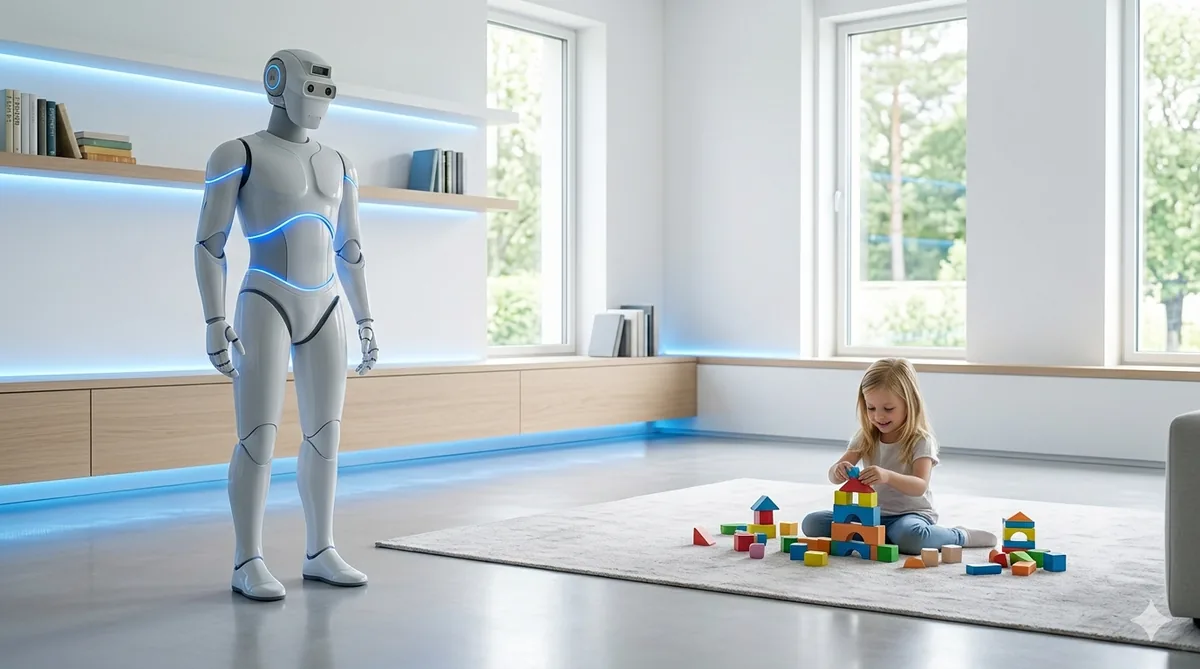
Owning a humanoid robot is genuinely exciting, but like any powerful piece of technology in the home, it demands respect. Whether you have just completed your initial setup or you have been living alongside your robot for months, this guide covers every safety consideration we think matters — from emergency stops to pet interactions, charging best practices to UK compliance. Bookmark it, print it, stick it on the fridge. Safety is not a one-time task; it is a daily habit.
Emergency Stop Procedures
Every humanoid robot sold in the UK must include at least one emergency stop mechanism, but most offer three. We recommend familiarising yourself with all of them before your robot completes its first autonomous task.
The Physical E-Stop Button
This is your most reliable failsafe. On the vast majority of consumer humanoid robots, the emergency stop button is a large red mushroom-head switch located on the upper back or the base of the neck. Pressing it immediately cuts power to all motor functions, causing the robot to enter a controlled collapse into its safe resting position. Every member of your household should know where this button is and how to reach it. We suggest practising the motion — walk up behind the robot, press firmly — at least once so it feels natural under pressure.
Voice Command Shutdown
Most modern robots respond to a verbal emergency phrase, typically something like “Robot, stop now” or a custom safe word you configure during setup. Voice commands are useful when you cannot physically reach the robot, but they are not infallible. Background noise, music, or even a loud television can interfere with recognition. Treat voice shutdown as a secondary measure, never your sole line of defence.
App Kill Switch
Your companion app should have a prominent emergency button on its home screen — usually red and impossible to miss. This sends an immediate wireless stop signal. Keep your phone charged and the app logged in at all times. If you use a tablet as a home control hub, consider keeping the app open on that device as well. Some top-rated models also support smartwatch kill switches, which can be useful when your hands are full.
Key rule: if any single emergency stop method fails during testing, contact the manufacturer before allowing the robot to operate unsupervised. Our maintenance guide covers routine checks that include testing all three stop mechanisms monthly.
Child Safety
Children are naturally curious, and a walking, talking robot is about as fascinating as it gets. That curiosity needs sensible boundaries.
Supervision Rules and Age Guidelines
We recommend the following age-based approach:
- Under 5 years: The robot should never operate in the same room as the child without a responsible adult present. Full stop.
- 5 to 10 years: Supervised interaction is fine, but the child should not issue task commands to the robot. Keep interactions limited to conversation and entertainment modes.
- 10 to 15 years: Children in this range can begin issuing basic commands (fetch items, play music, set reminders) provided they have completed the manufacturer’s safety tutorial. An adult should remain in the home.
- 16 and over: Teenagers can interact freely, but we still recommend that parental controls remain active on commands involving cooking appliances, heavy lifting, or tool use.
Restricted Zones
Most robots allow you to define no-go zones through the companion app. We strongly suggest marking children’s bedrooms as restricted during sleeping hours. Nurseries should be permanently restricted unless you explicitly override the setting. The robot should never enter a room where a child is sleeping unattended — even in passive monitoring mode, the risk of startling a child or causing an obstruction is not worth it.
Physical Safeguards
Ensure children understand that the robot is not a climbing frame. The centre of gravity on most humanoid models is higher than on wheeled robots, and even a modest push from an adventurous toddler could destabilise it. If your robot has exposed joints or articulated fingers, teach children to keep their own fingers clear during movement.
Pet Safety
Robots and pets can absolutely coexist, but the introduction period matters enormously.
Gradual Introduction
When you first bring a robot online, keep your pet in a separate room. Allow the robot to operate for a few hours so its sounds and movements become part of the ambient environment. Then introduce your pet to the powered-down robot so they can investigate it by scent. Only after your pet seems comfortable should you allow them in the same room as an active robot.
Ongoing Interaction Guidelines
Dogs may attempt to herd or chase the robot, particularly breeds with strong working instincts. If this happens, use your robot’s stationary mode during the training period and reward calm behaviour from your dog. Cats tend to be less reactive, but watch for swatting at moving feet — a robot’s gait cycle will not detect a paw quickly enough to avoid stepping on it.
Set your robot’s movement speed to its lowest setting during the first fortnight of pet cohabitation. Most first-time buyers find that pets adapt within two to three weeks, provided the introduction is handled gently.
Feeding Areas
Mark pet feeding stations as restricted zones. A robot walking through a food bowl is a recipe for mess at best and a stressed pet at worst.
Furniture and Home Protection
A humanoid robot weighing 30 to 70 kilograms can do real damage to your home if clearances and protections are not considered.
Robot-Proofing Your Space
- Doorways: Ensure the robot has at least 15 cm of clearance on each side when passing through doorways. If your home has narrow Victorian-era doors, measure carefully and set those rooms as restricted if the fit is too tight.
- Furniture edges: Apply foam corner protectors to sharp-edged furniture at the robot’s hip and shoulder height. This protects both the robot’s shell and your furniture.
- Fragile items: Move vases, ornaments, and anything irreplaceable away from the robot’s primary navigation paths for the first month. Once you are confident in its spatial mapping, you can gradually reintroduce items.
- Rugs and cables: Secure loose rugs with anti-slip tape. Tidy trailing cables into trunking. Both are trip hazards for robots just as they are for people.
Floor Surface Considerations
Polished hardwood and tile can be slippery for rubber-soled robot feet. If your robot struggles with traction, look into aftermarket grip pads. Thick-pile carpet can also cause issues — some models have a carpet mode that adjusts gait accordingly, so check your settings.
Safe Charging Practices
Improper charging is one of the most common sources of household robot incidents, yet it is entirely preventable.
- Use only the manufacturer’s supplied charger and dock. Third-party chargers may not regulate voltage correctly.
- Place the charging dock on a hard, level, non-flammable surface. Never charge on carpet, bedding, or near curtains.
- Ensure ventilation. Leave at least 20 cm of clearance around the dock for airflow. Batteries generate heat during charging, and restricted airflow can cause overheating.
- Do not charge unattended overnight during your first month of ownership. Once you are confident the charging cycle completes without anomalies, overnight charging is generally acceptable.
- Inspect the charging contacts monthly for debris, corrosion, or damage. Clean with a dry microfibre cloth. Our maintenance guide includes a full cleaning schedule.
If you notice any swelling, unusual heat, or a chemical smell from the battery compartment, power down the robot immediately, disconnect the charger, and contact the manufacturer. Do not attempt to open the battery housing yourself.
Fall Recovery Protocols
Even the most advanced humanoid robots fall occasionally. What matters is how you handle it.
Most robots have an automatic self-righting function. If your robot falls and begins its recovery sequence, stand clear and allow it to complete the process — interfering mid-recovery can cause a secondary fall. If the robot fails to self-right after two attempts, use the app to engage assisted recovery mode, which guides you through safely lifting the robot back to its feet.
Never attempt to catch a falling robot. At 40 kg or more, a toppling robot can cause serious injury. Step back, let it fall, and address recovery afterwards. This is counterintuitive — our instinct is to catch — but it is the safest approach.
After any fall, run a full diagnostic through the companion app before resuming operation. Check for cracked panels, loose joints, or sensor misalignment.
When NOT to Operate Your Robot
There are situations where the sensible choice is to power down entirely:
- Wet or freshly mopped floors. Water and polished surfaces dramatically reduce traction and increase the risk of falls and electrical faults.
- Stairs without fitted stair gates. No consumer humanoid robot currently on the UK market should be trusted on stairs unsupervised. If your home has open staircases, install child-style stair gates to block access.
- During electrical storms. Power surges can damage sensitive electronics. If a storm is forecast, dock and power down your robot.
- When you are away for extended periods. Unless your robot is specifically designed for unattended home monitoring, switch it to standby or power it off when the house is empty for more than 24 hours.
- If any sensor appears damaged or reports errors. A robot with impaired LIDAR, cameras, or proximity sensors is a robot that cannot navigate safely.
UK Safety Standards: CE and UKCA Marking
If you are purchasing a humanoid robot for use in the United Kingdom, it must carry the UKCA (UK Conformity Assessed) mark. Products placed on the market in Great Britain require UKCA marking to demonstrate compliance with relevant safety regulations, including the Supply of Machinery (Safety) Regulations and the Electromagnetic Compatibility Regulations.
The CE mark remains valid for products sold in Northern Ireland under the Windsor Framework. If you are buying from an EU-based manufacturer, check that the product either carries the UKCA mark or that the retailer has confirmed UK regulatory compliance.
Look for documentation referencing BS EN ISO 13482, the safety standard specifically covering personal care robots, including mobile servant robots used in domestic settings. A compliant robot will have undergone risk assessment for hazards including mechanical contact, electrical faults, and autonomous navigation errors.
For a deeper dive into the legal landscape, including liability, insurance, and data protection obligations, see our comprehensive UK regulations guide.
Your Home Robot Safety Checklist
Print this list and review it monthly:
- All three emergency stop methods tested and working (physical, voice, app)
- Restricted zones correctly configured for children, pets, and hazardous areas
- Charging dock inspected — contacts clean, ventilation clear, surface non-flammable
- Firmware updated to the latest stable version
- Floor hazards addressed — cables tidied, rugs secured, wet areas dried
- Stair gates in place and secure
- Companion app logged in and notifications enabled
- Battery health check completed via diagnostics
- All household members briefed on emergency stop locations
- Robot’s sensor array inspected for damage or obstruction
- Corner protectors and padding checked and replaced if worn
- Pet and child interaction rules reviewed with the family
Final Thoughts
A humanoid robot should make your home life easier, not more stressful. The vast majority of safety incidents are preventable with straightforward preparation and consistent habits. Take the time to set things up properly from the start — our setup guide walks you through every step — and revisit this checklist regularly.
If you are still deciding which robot to bring home, our first-time buyer’s guide and best humanoid robots for UK homes roundup will help you choose a model that suits your household. And once your robot is up and running, keep it in top condition with our maintenance guide.
Stay safe, stay informed, and enjoy the future — responsibly.