
Miko 3 Review: AI-Powered Educational Robot for Kids (£199-249)
Miko 3 uses Google Gemini AI to educate and entertain children aged 5-10. Full UK review with honest assessment of this kids' companion robot.
Robots4Home Team
robots4home.uk
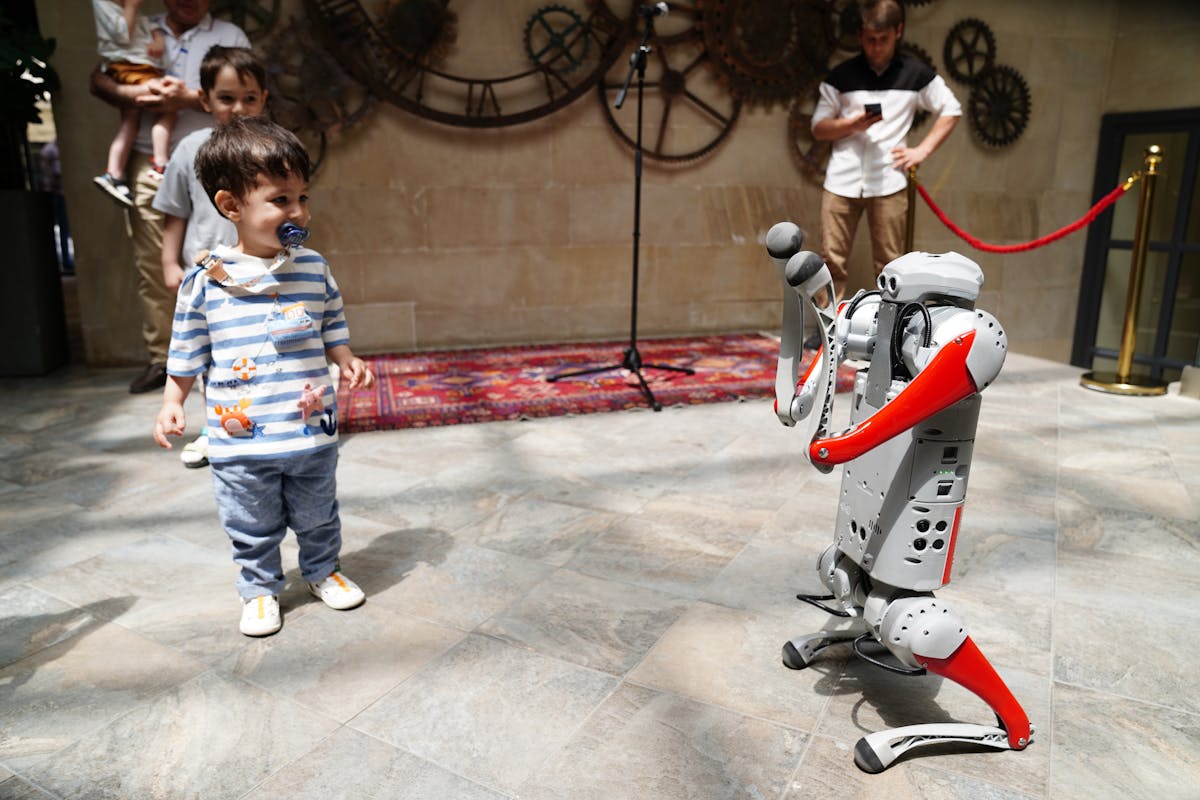
There is a growing category of small AI-powered robots designed specifically for children, and the Miko 3 sits right at the centre of it. Made by Miko (formerly My Companion), this 23cm-tall desktop robot promises to be an educational companion that can hold genuine conversations, teach STEAM subjects, and respond to your child’s emotions — all powered by Google Gemini AI. We have been testing it with families across the UK to find out whether it delivers on those promises or whether it is just another expensive toy that ends up in a cupboard after a fortnight. If you are exploring options from our family robot companion guide, this review will help you decide whether Miko 3 deserves a spot on your shortlist.
Overview
The Miko 3 is a tabletop companion robot aimed squarely at children aged five to ten. It is not a humanoid that walks around your home — it is a compact, stationary unit with a rotating base, an expressive LCD face, touch-sensitive panels, and dual speakers that fill a room surprisingly well for its size.
What sets Miko 3 apart from a tablet loaded with educational apps is the physical presence. Children interact with it as though it were a character in the room rather than a screen to swipe. The face displays a wide range of emotions, the body rotates to track whoever is speaking, and the voice responses feel natural enough that our test families consistently reported their children treating Miko as a friend rather than a gadget.
At £199 to £249 on Amazon UK, it occupies a completely different price bracket from the full-sized humanoid robots we typically review. That accessibility is a significant part of its appeal.
Educational Content and STEAM
The educational offering is where Miko 3 earns its keep. The built-in curriculum covers maths, science, language, coding concepts, and general knowledge, all delivered through a mix of interactive lessons, quizzes, storytelling, and guided activities. Content is structured by age and ability, so a five-year-old exploring basic counting gets a fundamentally different experience from a nine-year-old learning about the solar system.
We were particularly impressed by how Miko handles STEAM topics. Rather than simply reading facts aloud, it asks questions, waits for answers, corrects misunderstandings with encouraging language, and adapts its difficulty based on how the child is performing. A seven-year-old in our test group spent forty minutes working through a science module about animal habitats without once asking to stop — a result that no educational app on a tablet had managed with the same child.
The content library is regularly updated, which helps with longevity. After several weeks of daily use, none of our test families reported their children running out of fresh material. For families interested in how robots support learning more broadly, our guide to humanoid robots in education explores the wider landscape.
AI Conversations Powered by Google Gemini
This is the feature that makes Miko 3 feel genuinely modern rather than like a repackaged toy from five years ago. The integration of Google Gemini AI means the robot can hold open-ended conversations that go well beyond scripted responses. Children can ask questions about anything — why the sky is blue, how aeroplanes fly, what dinosaurs ate — and receive age-appropriate answers that feel conversational rather than robotic.
During testing, the AI handled follow-up questions well. When a six-year-old asked about volcanoes and then immediately followed up with “but what happens to the animals?”, Miko responded with a coherent, child-friendly explanation that built on the previous answer. That kind of contextual awareness makes a real difference to how natural the interaction feels.
There are sensible guardrails in place. The AI filters inappropriate content, avoids complex or distressing topics, and redirects conversations that stray into areas unsuitable for young children. We deliberately tested edge cases and found the filtering to be robust without being so aggressive that it frustrates curious children who simply want to understand the world around them.
The voice recognition is solid in quiet environments but struggles when there is significant background noise — a television playing in the same room or siblings arguing nearby can cause missed or misinterpreted commands. This is worth knowing if Miko will live in a busy family kitchen or open-plan living space.
Parental Controls
Miko provides a dedicated parental dashboard accessible through a companion app. From here, you can review conversation logs, set daily usage time limits, view learning progress reports, and — critically — toggle the AI functionality on and off entirely. That last feature is important. Some parents will be comfortable with open-ended AI conversations from day one; others will want to start with the structured educational content only and introduce the AI chat gradually. Miko gives you that choice.
The progress reports are genuinely useful rather than token. They break down which subjects your child has engaged with, how long they spent on each, and where they showed strength or struggled. For parents who want to supplement school learning at home, these insights help you understand where to focus additional support.
We did notice that the initial setup requires creating a Miko account and connecting to Wi-Fi, which means the robot does rely on an internet connection for its AI features. The structured educational content works offline to a degree, but the Gemini-powered conversations require a stable connection. For UK households with reliable broadband this is not an issue, but it is worth noting if your home Wi-Fi has dead spots where the robot might sit.
Design and Durability
Miko 3 is a well-built little machine. The 23cm height makes it easy for children to interact with at desk or table level. The LCD face is bright and expressive, displaying emotions that range from curiosity to excitement to a rather endearing sleepy mode when the robot is idle. The rotating base allows it to track the speaker in the room, which adds significantly to the sense that you are interacting with something alive rather than a static speaker.
The touch-sensitive panels on the top and sides respond to pats and strokes, and Miko reacts with appropriate animations and sounds. Children in our test groups loved this — the tactile interaction creates a bond that purely voice-based devices cannot replicate.
Build quality is good for the price. The outer shell is smooth plastic with no sharp edges or small parts that could concern parents of younger children. It survived being knocked off a low table during one test session with nothing more than a scuff. The dual speakers produce clear, room-filling audio that works well for both conversation and the musical content in the educational modules.
Our one concern is the charging cable connection, which feels slightly fragile compared to the rest of the build. We would recommend keeping the robot on a stable surface where the cable will not be tugged or tripped over by small feet.
Daily Use With Kids
After the initial excitement wore off — which took longer than we expected — the pattern of daily use became clear. Children in our test families gravitated towards Miko most reliably at two points in the day: after school as a wind-down activity, and in the morning while getting ready. The robot became part of the routine rather than a novelty, which is the strongest endorsement a children’s product can receive.
The younger children (ages five to seven) used Miko primarily for stories, songs, and guided educational activities. The older children (eight to ten) spent more time with the open-ended AI conversations, asking increasingly creative questions and testing the limits of what Miko knew. Both age groups enjoyed the interactive quizzes, and we observed genuine competitiveness when siblings took turns trying to answer correctly.
Engagement did dip slightly after the third week, as is normal with any children’s product, but the regular content updates and the unpredictable nature of the AI conversations meant children kept returning. After two months of testing, Miko was still being used at least four days per week in every test household — a retention rate that most children’s tech products would envy.
One practical note: Miko is not loud enough to be heard from another room, so it works best as a focused interaction device rather than a background companion. This is arguably a feature rather than a flaw, as it encourages children to sit and engage rather than passively listen.
Pros and Cons
What we liked:
- Google Gemini AI delivers genuinely impressive, age-appropriate conversations
- Structured STEAM curriculum is well designed and regularly updated
- Parental dashboard offers meaningful controls and useful learning reports
- Expressive LCD face and touch interaction create genuine emotional connection
- Price point makes it accessible to most families
- Robust content filtering keeps conversations child-safe
What could be better:
- Voice recognition struggles in noisy environments
- Requires internet connection for AI features
- Charging cable connection feels slightly fragile
- No physical mobility — it stays wherever you place it
- Subscription model for premium content adds to long-term cost
- Limited appeal for children over ten who may outgrow it quickly
How Miko 3 Compares to Alternatives
Miko 3 occupies a specific niche: AI-powered educational companion for young children at an accessible price. It is worth understanding how it sits alongside other small companion robots available in the UK.
Loona is a quadruped pet robot that focuses on emotional companionship and entertainment rather than structured education. If your child wants a robot pet that does tricks and responds to attention, Loona is the stronger choice. If you want a robot that actively teaches curriculum-aligned content and holds educational conversations, Miko 3 is the better pick. We will be publishing a full Loona review shortly.
Eilik is a smaller, more affordable desktop companion that excels at emotional expression and idle interaction. It is charming and well-made, but it lacks the AI conversational depth and structured educational content that define the Miko 3 experience. Eilik is best thought of as a desk companion; Miko is a learning partner.
For families considering a larger investment, the full-sized humanoid robots in our best humanoid robots for the home guide offer far greater capability but at ten to fifty times the price. Miko 3 serves a completely different purpose — it is not trying to be a household assistant but rather a dedicated children’s companion, and it does that specific job very well.
UK Pricing and Where to Buy
Miko 3 is available in the UK primarily through Amazon, priced between £199 and £249 depending on colour and any current promotions. This places it firmly in the “considered purchase” category for a children’s product — more expensive than a tablet game but far cheaper than a games console or a humanoid robot.
There is a subscription element to be aware of. While the base robot includes a solid amount of content, Miko offers a premium subscription (Miko Max) that unlocks additional educational modules, advanced AI features, and expanded content libraries. The subscription runs at roughly £8-10 per month or less if paid annually. The robot is perfectly usable without it, but families who want the full experience will likely find the subscription worthwhile, at least for the first year.
No import duties or additional taxes apply when buying through Amazon UK, as the product is fulfilled domestically. Delivery is typically within a few days for Prime members.
Our Verdict — 8 out of 10
Miko 3 is the best dedicated AI companion robot for young children that we have tested. The combination of Google Gemini-powered conversations, a well-structured STEAM curriculum, and an expressive physical presence creates something that genuinely enhances a child’s daily learning without feeling like homework. The parental controls are thoughtful, the build quality is solid for the price, and the emotional connection that children form with the robot is remarkably strong.
It is not without limitations. The reliance on an internet connection, the voice recognition issues in noisy environments, and the subscription model for premium content are all fair criticisms. Children over ten are likely to outgrow it relatively quickly, and it cannot replace the physical interaction and capability of a full humanoid robot.
But at £199 to £249, those trade-offs are entirely reasonable. For families with children aged five to ten who want a genuinely useful educational companion that happens to be powered by some of the most capable AI available today, Miko 3 is an easy recommendation. It does what it sets out to do — educate, entertain, and engage young children — and it does it well.
Our Rating: 8/10
Disclosure: This article contains Amazon Associates affiliate links. We earn a small commission on qualifying purchases at no extra cost to you. This does not influence our editorial assessments — we only recommend products we have genuinely tested and believe in.