
ELEGOO Smart Robot Car V4.0 Review: Best Budget Arduino Kit (£65)
The ELEGOO Smart Robot Car V4.0 is the cheapest way into robotics programming. Arduino-based, feature-packed, and just £65. UK review.
Robots4Home Team
robots4home.uk
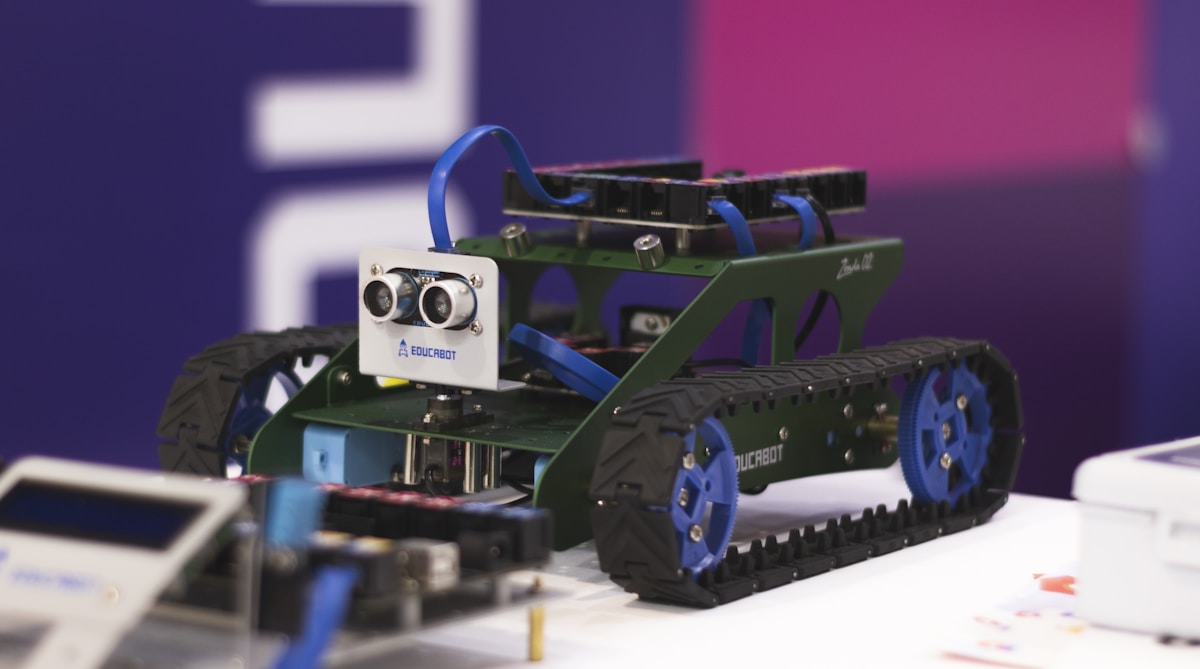
At roughly sixty-five pounds, the ELEGOO Smart Robot Car V4.0 is one of the cheapest ways to get a proper introduction to robotics and Arduino programming in the UK. We have been testing it across several weeks with complete beginners, younger teenagers, and hobbyists already familiar with Arduino, and the verdict is clear: for the money, nothing else in this price bracket delivers as much genuine learning value. This review covers everything from the kit contents to the programming experience, so you know exactly what your sixty-five quid buys before you commit.
If you are exploring how robotics kits fit into a broader learning journey for children and families, our guide to humanoid robots in education provides useful context on the different pathways into STEM through robotics.
What Is in the Kit
ELEGOO has packed an impressive amount of hardware into the box. You get a two-layer acrylic chassis with pre-drilled mounting holes, four DC geared motors with wheels, an Arduino UNO R3-compatible board (ELEGOO’s own clone, which is fully compatible with the official Arduino IDE), a V5.0 expansion shield, an ultrasonic obstacle avoidance sensor, a line-tracking module with three infrared sensors, an MPU6050 gyroscope and accelerometer module, a small FPV camera module with Wi-Fi streaming, an infrared remote control, a rechargeable 18650 lithium battery with charger, a USB cable for programming, and a generous selection of standoffs, screws, cables, and zip ties.
There is also a printed quick-start guide pointing you to ELEGOO’s online tutorials, a CD-ROM with software and project files (though everything is also available to download from their website, which is far more practical), and a small screwdriver. The sheer quantity of components is remarkable for the price. Nothing feels missing, and there are enough spare screws and cable ties to cover the inevitable dropped-on-the-carpet losses.
Assembly Experience
Assembly took us between one and two hours depending on the builder’s experience. A confident adult who has assembled flat-pack furniture will manage it in about an hour. A twelve-year-old working through it carefully took closer to ninety minutes with occasional parental guidance, and an enthusiastic ten-year-old needed two hours with a parent on hand to help thread some of the tighter screws.
The instructions are available as a PDF tutorial with clear photographs and numbered steps. ELEGOO has improved these significantly over earlier versions of the car, and while they are not quite as polished as Lego instructions, they are clear enough that we never found ourselves genuinely stuck. The build follows a logical progression: chassis and motors first, then the expansion shield and wiring, then sensors, and finally the camera module.
Wiring is the part that may trip up complete newcomers. There are a fair number of jumper cables to connect, and getting them into the correct pins on the expansion shield requires attention. The tutorial labels everything clearly, but if you have never plugged a dupont connector into a header pin before, expect a few minutes of fumbling. This is genuinely educational, though — understanding how sensors connect to a microcontroller is fundamental to robotics, and the ELEGOO car teaches it hands-on from the very first build session.
Build quality is good for the price. The acrylic chassis is rigid and cleanly laser-cut, the motors feel robust, and the wheels grip well on smooth floors. The expansion shield sits securely on top of the Arduino board, and the sensor mounts are stable. Nothing about the physical build feels disposable or cheap.
Features in Use
Once assembled, the ELEGOO Smart Robot Car V4.0 offers several operating modes straight out of the box.
Line tracking uses three infrared sensors mounted underneath the chassis to follow a black line on a white surface (or vice versa). It works reliably on printed tracks and even on lines drawn with thick marker pen on white card. Children find this mode immediately engaging — laying out increasingly complex tracks on the kitchen floor and watching the car navigate them is satisfying in a way that no screen-based simulation can replicate.
Obstacle avoidance uses the front-mounted ultrasonic sensor to detect objects and steer around them. The default code works well in open spaces, though it can get confused in tight corners where obstacles appear on multiple sides simultaneously. This is actually a useful teaching moment — it demonstrates the limitations of single-sensor obstacle detection and invites the learner to think about how they might improve the algorithm.
FPV camera streaming is a feature that sets the V4.0 apart from earlier versions and most competitors at this price. The camera broadcasts a Wi-Fi video feed that you can view on your phone through the ELEGOO app. The image quality is modest — adequate for navigation but not for recording — and there is noticeable latency of roughly half a second. Still, driving the car around the house using the camera feed is enormous fun and introduces the concept of remote telepresence in a way that children immediately understand.
Remote control via the included infrared handset and through the ELEGOO smartphone app gives two ways to drive the car manually. The app also provides a virtual joystick and access to the camera feed simultaneously, which makes it the more practical option for everyday use.
Programming: Graphical and Arduino C
The ELEGOO car supports two levels of programming, which makes it accessible to a wide range of skill levels.
For beginners and younger users, ELEGOO provides compatibility with graphical block-based programming environments. The drag-and-drop approach lets children create simple programs — drive forward, turn when the sensor detects an obstacle, follow a line — without writing any text-based code. It is a sensible starting point for children aged ten to twelve who are new to programming concepts.
The real depth, however, comes from the Arduino IDE. The ELEGOO car runs on a genuine Arduino UNO-compatible board, which means you have full access to the Arduino ecosystem: thousands of libraries, tutorials, and community projects. ELEGOO provides well-commented example sketches for every feature of the car — line tracking, obstacle avoidance, camera control, motor speed management, sensor calibration — and each sketch is designed to be read, understood, and modified rather than simply uploaded and forgotten.
For anyone working through our beginner’s guide to programming robots, the ELEGOO car is an ideal companion platform. The progression from uploading a pre-written sketch to modifying it to writing your own from scratch follows a natural learning curve, and the immediate physical feedback of the car responding to your code changes makes abstract programming concepts tangible.
Build Quality for the Price
At sixty-five pounds, expectations need to be calibrated appropriately, but the ELEGOO car meets and often exceeds them. The acrylic chassis is sturdy, the motor mounts are solid, and the wiring, once properly connected, stays put. We ran our test unit across several weeks of daily use with no mechanical failures and no loose connections.
The Arduino UNO clone board is reliable and fully compatible with the official IDE. The sensors are functional and reasonably accurate. The camera module is the weakest component in terms of build quality — the Wi-Fi range is limited to roughly ten to fifteen metres, and the mounting bracket feels a little flimsy — but it works, and at this price it is a bonus feature rather than a core selling point.
Who Is This For
The ELEGOO Smart Robot Car V4.0 hits a sweet spot for several audiences.
Complete beginners who want a first taste of robotics and Arduino programming will find this an ideal starting point. The kit provides a structured project with a tangible result, which is far more motivating than blinking an LED on a breadboard.
Children aged ten and above (with parental involvement for younger builders) get a genuine hands-on STEM project that teaches wiring, sensors, programming logic, and problem-solving. It is substantially more educational than a pre-assembled remote control car, and the programming pathway gives it lasting value beyond the initial build.
Arduino learners who have worked through a few beginner tutorials and want a more ambitious project will appreciate the integrated platform. Having motors, sensors, and a camera already wired into a working system provides a ready-made testbed for experimenting with code.
It is worth noting what the ELEGOO car is not. It is not a humanoid robot, it has no AI capabilities beyond what you programme yourself, and its autonomy is limited to the basic behaviours you code. For families interested in more advanced robotic companions, our family robot companion guide covers the full spectrum of options available in the UK.
Limitations
The FPV camera, while a welcome inclusion, has noticeable latency and limited range. It is a fun addition rather than a serious telepresence tool.
Battery life is approximately two to three hours of active use, which is reasonable for the price but can cut short longer programming sessions. Charging takes roughly two hours.
The car operates exclusively on smooth, flat surfaces. Carpet, gravel, and uneven ground are beyond its capabilities. This is standard for wheeled robot kits at this price, but worth knowing if you imagined it roaming the garden.
There is no pathway to Python programming on the car itself, which limits its ceiling compared to platforms like the CyberPi-based mBot2. Advanced learners will eventually outgrow the Arduino C environment, though that likely takes a year or more of regular use.
ELEGOO Smart Robot Car V4.0 vs Makeblock mBot2
The most natural comparison is with the Makeblock mBot2, which sits at roughly twice the price at around £131. The mBot2 offers Scratch and Python programming, a richer sensor suite including Wi-Fi, a gyroscope, an accelerometer and a microphone built into the CyberPi board, and a more polished software experience through the mBlock app.
The ELEGOO car counters with a significantly lower price, a more involved and educational build process, a camera module that the mBot2 lacks, and direct access to the Arduino ecosystem, which is arguably the most widely used microcontroller platform in the world. If budget is the primary constraint, the ELEGOO car delivers remarkable value. If you can stretch to the mBot2 and your primary goal is teaching a child to code, the mBot2’s Python pathway and structured curriculum give it an edge for longer-term learning.
Both are excellent products for their respective price points. The right choice depends on budget and whether you prioritise the Arduino hardware ecosystem or the Scratch-to-Python software progression.
UK Availability and Pricing
The ELEGOO Smart Robot Car V4.0 is readily available on Amazon UK with domestic fulfilment, meaning no import duties and standard Amazon delivery times. At approximately £65, it is comfortably the cheapest feature-complete robot car kit we have tested. Amazon Prime members get next-day delivery in most areas.
Buy the ELEGOO Smart Robot Car V4.0 on Amazon UK
Our Verdict — 8 out of 10
The ELEGOO Smart Robot Car V4.0 is the best-value entry point into robotics programming we have found in the UK. For sixty-five pounds you get a genuine Arduino-based platform with line tracking, obstacle avoidance, an FPV camera, and a build process that teaches real hardware skills. The kit does not try to hide its complexity behind a simplified app — it invites you to understand how every wire, sensor, and line of code contributes to making a robot work.
Its limitations are honest and proportionate to the price. The camera is basic, the autonomy is only as good as the code you write, and it will never navigate your garden. But as a learning tool that bridges the gap between watching YouTube videos about Arduino and actually building something that moves, the ELEGOO car is hard to beat at any price, let alone sixty-five pounds.
ELEGOO Smart Robot Car V4.0 — Robots4Home Rating: 8/10
| Spec | Detail |
|---|---|
| Price (UK) | ~£65 |
| Manufacturer | ELEGOO |
| Age Range | 10+ (younger with parental help) |
| Programming | Graphical blocks, Arduino C (Arduino IDE) |
| Connectivity | Wi-Fi (camera), Infrared, USB |
| Sensors | Ultrasonic (obstacle avoidance), IR line-tracking (x3), MPU6050 gyroscope/accelerometer |
| Camera | FPV Wi-Fi streaming via app |
| Battery | ~2-3 hours (rechargeable 18650 lithium) |
| Key Features | Kit assembly, Arduino programming, line tracking, obstacle avoidance, FPV camera, IR remote + app control |
| Best For | Beginners, Arduino learners, kids 10+, budget STEM projects |
| Buy (UK) | Amazon UK (ELEGOO Store) |
Disclosure: This article contains Amazon Associates affiliate links. We earn a small commission on qualifying purchases at no extra cost to you. This does not influence our editorial assessments — we only recommend products we have genuinely tested and believe in.