
Petoi Bittle X V2 Review: Open-Source Programmable Robot Dog (~£250)
Petoi Bittle X is a palm-sized, open-source robot dog that teaches real robotics programming. Full UK review for makers and educators.
Robots4Home Team
robots4home.uk
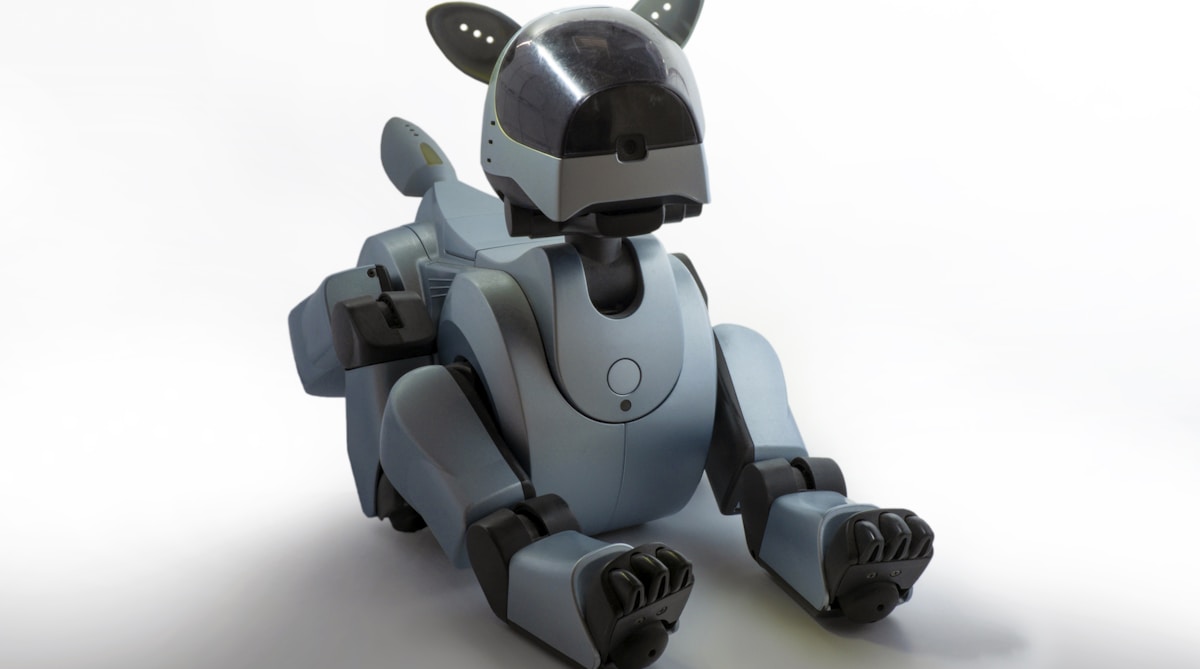
Most robot dogs we review are finished products — you unbox them, charge the battery, and start walking them around the living room. The Petoi Bittle X V2 is different. It arrives as a kit of servos, circuit boards, and 3D-printed frames, and it expects you to build it, programme it, and genuinely understand how it works. At roughly £250, it is one of the most rewarding robotics platforms we have used — provided you know what you are signing up for.
If you are exploring the broader landscape of robot dogs and humanoid machines available to UK buyers, our guide to humanoid and dog robots you can buy in the UK is a good place to start.
What Is the Petoi Bittle X V2
The Bittle X V2 is a palm-sized, open-source quadruped robot built by Petoi, a company that emerged from a successful Kickstarter campaign and has since carved out a dedicated niche among makers, educators, and robotics hobbyists. It stands roughly 20cm long and 11cm tall — small enough to sit on your desk — and weighs under 300g. Despite its diminutive stature, it packs nine degrees of freedom: two joints per leg plus a tiltable neck, all driven by metal-gear micro servos.
The brain of the Bittle X V2 is a custom board built around the ESP32 microcontroller, which provides both Wi-Fi and Bluetooth connectivity alongside the processing power needed for real-time gait calculations. An optional Raspberry Pi camera module or AI add-on board can extend its perception capabilities further, turning it from a walking platform into something closer to a vision-enabled autonomous robot.
| Specification | Detail |
|---|---|
| Dimensions | ~20cm long, ~11cm tall |
| Weight | ~300g |
| Degrees of freedom | 9 (4 legs x 2 joints + neck) |
| Microcontroller | ESP32 (Wi-Fi + Bluetooth) |
| Programming | Arduino C++, MicroPython, Scratch |
| Battery | Li-ion, ~1 hour active use |
| Frame | 3D-printed (open-source STL files) |
| Licence | Open-source hardware and software |
The Open-Source Appeal
This is what sets the Bittle apart from virtually every other consumer robot we cover on this site. The entire project is open-source — hardware designs, firmware, control algorithms, and 3D-printable frame files are all published on GitHub under permissive licences. You can study how every joint moves, modify the gait algorithms, redesign the body, or add entirely new capabilities without hitting any proprietary wall.
For makers and students, this transparency is enormously valuable. Instead of interacting with a robot through an app designed to hide complexity, you are working directly with the code that controls each servo, the inverse kinematics that calculate leg positions, and the state machines that transition between walking, turning, and performing tricks. It is real robotics engineering, not a simplified abstraction of it. Anyone working through our beginner’s guide to programming robots will find the Bittle an ideal companion platform for putting theory into practice.
The open-source community around Petoi is active and generous. The official forums, GitHub repositories, and Discord server host a steady flow of user-contributed gaits, sensor integrations, AI experiments, and 3D-printed accessories. We found contributed projects ranging from voice-controlled navigation to reinforcement-learning locomotion training. The ecosystem is small compared to mainstream robotics platforms, but it is enthusiastic and welcoming — exactly the kind of community that makes an open-source project thrive.
Programming Capabilities
The Bittle X V2 supports three tiers of programming, which makes it unusually versatile across skill levels.
Scratch integration via Petoi’s Petoi Coding Blocks extension provides a visual, drag-and-drop programming interface aimed at younger learners and absolute beginners. You can chain together movement commands, sensor readings, and logic blocks to create behaviours without writing a single line of text-based code. It is a solid entry point, though experienced programmers will outgrow it quickly.
Arduino C++ is the native language of the Bittle’s firmware. The entire codebase compiles through the standard Arduino IDE, which means you have full access to every register, every timer, and every interrupt on the ESP32. Writing custom gaits, integrating new sensors, or implementing control algorithms happens at the same level the original firmware was written at. This is where the Bittle becomes a serious educational tool — students learning embedded systems, control theory, or robotics get a physical platform that responds immediately to their code changes.
Python support comes through MicroPython on the ESP32 and through serial or Bluetooth communication from an external computer. This opens the door to computer-vision experiments, machine-learning integration, and higher-level behaviour scripting. Connecting a Raspberry Pi to the Bittle’s expansion port and running Python-based AI models is a well-documented pathway in the community, and several users have demonstrated obstacle avoidance, object following, and even basic SLAM using this setup.
For educators looking to integrate robotics into a curriculum, the Bittle’s multi-language support means a single platform can serve students from primary school Scratch workshops through to university-level embedded systems modules. Our guide to humanoid robots in education discusses how platforms like the Bittle fit into structured learning environments.
Build and Assembly
The Bittle X V2 ships as a kit, and assembly takes between one and two hours depending on your experience with small electronics. The process involves connecting servos to the mainboard, attaching them to the 3D-printed frame segments, calibrating joint positions, and uploading the base firmware.
We found the assembly instructions clear and well-illustrated, though a few steps assume familiarity with servo horns and screw sizes that might trip up complete beginners. A small Phillips screwdriver and some patience are all you need — no soldering is required for the standard build.
The calibration step is worth mentioning specifically. Each servo needs its zero position adjusted so that the legs align correctly, and Petoi provides a software calibration tool that walks you through the process. It is straightforward but requires care — sloppy calibration results in a robot that walks with a visible limp. We spent about fifteen minutes getting all nine servos dialled in, and the result was a clean, balanced gait.
The 3D-printed frame is functional rather than beautiful. It does the job, but it lacks the polished feel of injection-moulded consumer products. The upside is that replacement parts are a 3D-printer run away, and the open-source design files mean you can modify the frame to suit your own projects.
Movement Quality
For a palm-sized robot at this price, the Bittle moves remarkably well. The default walking gait is smooth and stable on flat surfaces, with a natural-looking leg coordination that demonstrates the quality of Petoi’s inverse kinematics work. It handles gentle inclines, low carpet, and smooth tiles without difficulty.
Trotting, turning, and transitioning between gaits are all handled competently. The Bittle can also perform a repertoire of tricks — sit, stretch, push-ups, and various poses — that showcase the servo range and control precision. These are not just party tricks; they demonstrate the underlying motion framework that you can extend with your own creations.
Where the Bittle shows its limitations is on challenging terrain. At 300g with small legs and plastic feet, it struggles on thick carpet, gravel, and uneven outdoor surfaces. It is fundamentally an indoor and smooth-surface robot. Compared to larger quadrupeds like the Unitree Go2 Air, which handles grass, gravel, and stairs with confidence, the Bittle is playing in a different league entirely — but then, it costs roughly a tenth of the price.
Limitations Worth Knowing
Battery life is the most significant practical constraint. The included Li-ion battery provides approximately one hour of active use, which sounds adequate until you are deep in a programming session and the robot dies mid-test. We found ourselves keeping it tethered to USB power during development and reserving battery operation for demonstrations and free-roaming tests.
Size is both an advantage and a limitation. The palm-sized form factor makes it portable and desk-friendly, but it restricts payload capacity, sensor options, and terrain capability. You will not be strapping a full-sized camera or LiDAR unit to the Bittle without significant modifications.
Documentation, while extensive, can be fragmented. Information is spread across GitHub wikis, PDF manuals, community forums, and YouTube tutorials. Petoi has improved this over successive product generations, but newcomers may still find themselves searching across multiple sources to answer a single question.
Servo durability is a consideration for heavy use. The micro servos are adequate for normal operation but can strip gears under repeated high-stress movements or crashes. Replacement servos are inexpensive and readily available, but it is worth knowing that the Bittle is not built to absorb the kind of punishment a metal-geared industrial robot handles without complaint.
UK Availability
The Petoi Bittle X V2 is primarily available direct from Petoi’s own website and through RobotShop UK, which stocks the full range including camera modules and expansion boards. Pricing sits at roughly £250 for the standard kit, with accessories and add-on boards adding £30 to £80 depending on configuration.
Petoi accessories and compatible components are also available through Amazon UK, which can be convenient for add-ons, replacement servos, and expansion modules.
Browse Petoi accessories on Amazon UK
When ordering the main unit from Petoi direct or RobotShop, factor in potential import duty and VAT if shipping from outside the UK. Our guide to importing robots into the UK covers the process and costs in detail.
Bittle X V2 vs Unitree Go2 Air
These two robot dogs occupy entirely different categories, but the comparison comes up frequently and is worth addressing directly.
| Petoi Bittle X V2 (~£250) | Unitree Go2 Air (~£1,600-£2,400) | |
|---|---|---|
| Size | Palm-sized (~20cm) | Medium dog (~70cm long) |
| Weight | ~300g | ~15kg |
| Purpose | Learning, making, programming | Consumer companion, outdoor use |
| Programming | Arduino C++, Python, Scratch | App + SDK (Python) |
| Open-source | Fully open hardware and software | Closed hardware, limited SDK |
| Terrain | Flat indoor surfaces | Grass, gravel, stairs, outdoors |
| Battery | ~1 hour | ~1-2 hours |
| Autonomy | Minimal (unless you build it) | LiDAR mapping, follow mode, patrol |
The Unitree Go2 Air is a polished consumer product that moves beautifully, navigates autonomously, and works impressively out of the box. The Bittle is a learning platform that teaches you why and how a robot dog moves. They serve fundamentally different needs, and the right choice depends entirely on whether you want to use a robot dog or understand one.
Who Is This For
Makers and hobbyists who enjoy building, tinkering, and programming will find the Bittle deeply satisfying. It is a real robotics platform with genuine depth, not a toy dressed up as one.
Educators and schools looking for an affordable, programmable robot that scales from Scratch to C++ will struggle to find better value. A classroom set of Bittles costs less than a single high-end robot and offers far more hands-on learning potential.
University students studying robotics, embedded systems, or control theory get a physical testbed for algorithms that would otherwise exist only in simulation.
Parents of curious teenagers who have outgrown Lego Mindstorms and want something closer to real-world robotics engineering will find the Bittle an excellent next step.
It is not for anyone seeking a polished, ready-to-use robot companion. If you want a robot dog that works brilliantly out of the box without ever opening an IDE, the Go2 Air is the better choice by a wide margin.
Our Verdict
The Petoi Bittle X V2 is a genuinely special product in a market increasingly dominated by closed, consumer-focused robots. It treats its owner as a maker rather than a user, and it rewards curiosity with real understanding. The open-source design, multi-language programming support, and active community create an ecosystem where learning compounds over time — every project you complete opens the door to a more ambitious one.
Its limitations are real but proportionate to its price. The battery could last longer, the documentation could be better organised, and the plastic frame will never feel premium. But at roughly £250, the Bittle offers a depth of robotics education that machines costing ten times as much cannot match, simply because those machines do not invite you under the bonnet.
Petoi Bittle X V2 — Robots4Home Rating: 7.5/10
| Category | Rating |
|---|---|
| Programming depth | 9/10 |
| Open-source ecosystem | 8.5/10 |
| Build and assembly | 7.5/10 |
| Movement quality | 7/10 |
| Battery life | 5.5/10 |
| Documentation | 6.5/10 |
| Value for money | 8.5/10 |
| Overall | 7.5/10 |
Bottom line: The Petoi Bittle X V2 is the best way to learn real robotics programming at a price that does not require a research grant. If you want to understand how a robot dog works — not just watch one walk — this is the platform to buy.
Browse Petoi accessories on Amazon UK
Prices quoted are estimates as of May 2026. Availability and pricing may vary by retailer. See our guide to humanoid and dog robots you can buy in the UK for the full market overview.